• Home
  • Blog
  • Resources
  • About
  • Newsletter
  • Contact
NodeMon

HamVOIP Guides


Backing Up The Node
UK Supermon Weather Script
Bypass Admin Menu
Customising Admin Menu
Custom Macros
Exporting Sound From Audacity
Official HamVoIP Images
Write HamVOIP img Using macOS Terminal

Software Guides


WinSCP (Windows SFTP client)
FileZilla (Windows SFTP client)
Win32 DiskImager (Windows)
Transmit (macOS SFTP client)

Hardware Guides


CM108 Modification
Baofeng BF666 Wiring
Node Halt External Button

Supermon UK Weather Script

For those living in the UK, the original Supermon weather script appears to be broken. 
I have created my own script which allows the weather to be displayed inside the Supermon control panel.

Watch Video to see how to install

Note:
This script is only for UK users as it uses the UK Post Code system.

Download Weather Script

Bypassing Admin Menu

When you log in to the Pi via SSH, you are greeted with the Admin Menu.

If, for any reason, you would prefer to bypass the Admin Menu and start at a bash prompt, it can be easily disabled by commenting out a line of code in the .bash_profile file.
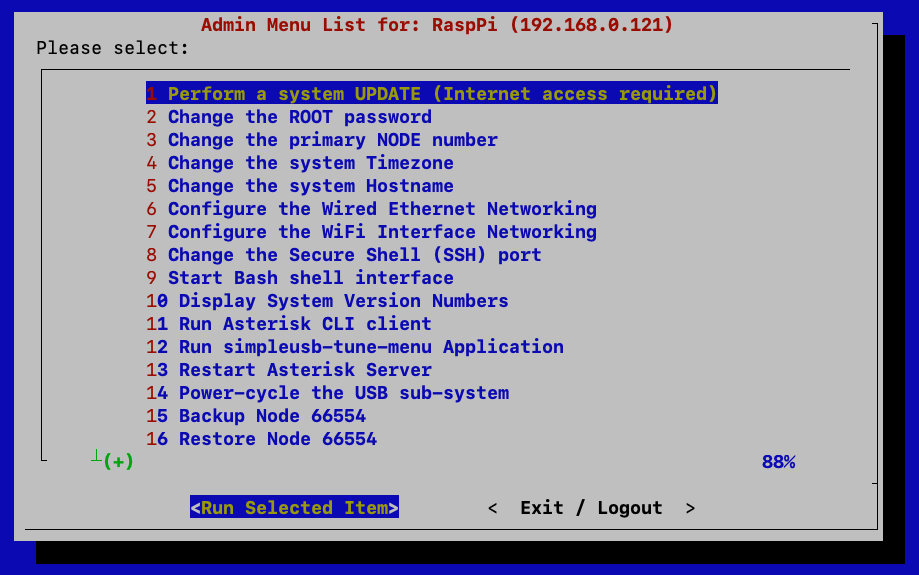
How To ByPass the Admin Menu
Open the file using the following command: nano ~/.bash_profile

Locate the line that starts with exec /usr/local/sbin/admin.sh

Comment it out by adding a # at the beginning of the line: #exec /usr/local/sbin/admin.sh

Save the file and exit. Reboot the Pi for the changes to take effect: